Thank you for purchasing a productrepresented by our company !
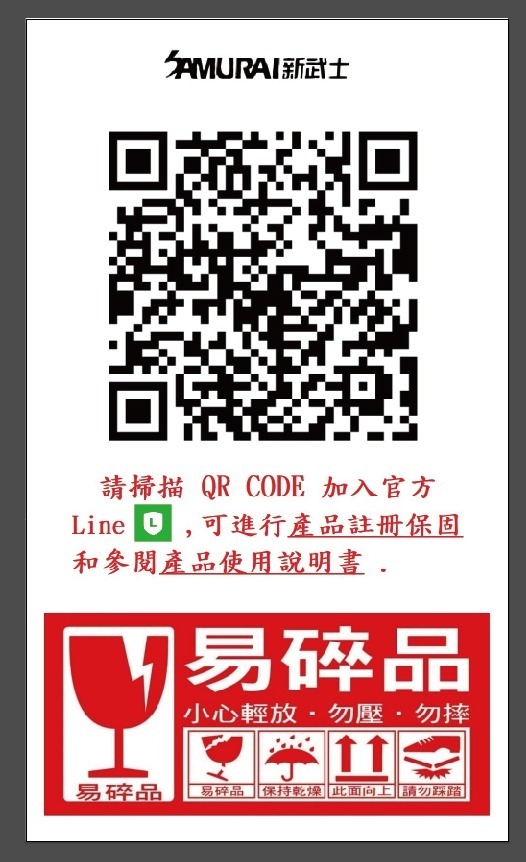
To ensure complete warranty service foryour product, kindly scan the warranty QR code attached to the product box uponreceipt. This will guide you to the LINE warranty system for registration.
⚠️ All SamuraiTouch-Control Electronic Dry Cabinets in the series are insured with productliability coverage, so you can use them with peace of mind.
User Manual for Samurai GP5 SeriesElectronic Dry Cabinets :
#Setup Instructions :
1. Adjust the leveling feet or wheels toensure the cabinet is stable and level.
2. Plug the DC end of the adapter into themachine, then connect the adapter to a power source.
3. Set the desired humidity level based onthe stored items.
4. If items contain excessive moisture, drythem before placing them inside the cabinet for dehumidification.
5. Do not place corrosive, flammable, orexplosive items in the dry cabinet.
6. Avoid placing the cabinet near heatsources or vents.
#Placement Tips:
1. Maintain approximately 5 cm of clearanceat the back of the cabinet to allow proper ventilation of the dehumidificationmodule.
2. Do not block the heat dissipation outletof the dehumidification module.
#Humidity Setting Guide (for reference) :
- 55%-45% : Optical devices, cameras,camcorders, lenses, microscopes, CDs, hard drives, slides, documents,photographs, currency, stamps, etc.
- 45%-35% : Metal products, precisioninstruments, semiconductors, circuit boards, computer equipment, precisionmeasuring tools, optical instruments, chips, ICs, batteries, etc.
- 35% or below : Chemical materials,pharmaceutical ingredients, seeds, pollen, tobacco, tea, leather, medicalsupplies, etc.
Operating the Samurai GP5 Series DryCabinet :
#Functions :
1. Once powered on, the controller performsa self-check lasting approximately 3 seconds, after which the cabinet beginsnormal operation.
2. When the internal humidity exceeds thepreset value by more than 5% RH, the controller initiates dehumidification. Thesystem operates until the humidity stabilizes within ±5% RH of the presetvalue.
-Example: If the preset humidity is 50%, the cabinet will maintain humiditybetween 45% RH and 55% RH.
3. Touch any control button to illuminatethe display and interior lighting. The display and lights will turn offautomatically after one minute of inactivity.
# Controls :
1. Setting Humidity Levels :
-In standby mode, press the "SET" button to enter the setup menu. Thehumidity value will flash, indicating the cabinet is ready for adjustment. Usethe "UP" or "DOWN" buttons to select the desired humiditylevel. Press "SET" again (or wait 15 seconds without action) to saveand exit.
2. Interior Lighting :
-Touch any button on the display to activate the built-in lighting(automatically turns off after one minute).
# Warranty Details for Samurai GP5 Series :
- Hardware warranty : 5 years.
- Electronic components warranty : 2 years(from the date of registration).
- To enjoy warranty services, register viathe official LINE system.
- During the warranty period, any defectsdue to product quality under normal usage will be repaired free of charge.
# Exclusions from Free Repairs :
1. Warranty registration not completedonline.
2. Lack of valid purchase receipt.
3. Damage caused by misuse or failure tofollow the user manual.
4. Unauthorized modifications orrepairs.
5. Damage caused by movement, falls,scratches, or mishandling.
6. User-conducted repairs or improperusage.
7. Damage caused by force majeureevents.
Samurai UVA Ultraviolet SterilizationSeries Electronic Dry Cabinet
Product User Guide
I. Function Description
Product Assembly
Install the cabinet feet pads to the bottomof the cabinet.
(They may already be installed at thefactory.)
Place the cabinet on a flat and stablesurface. For proper heat dissipation, keep at least 5 cm distance between theback of the cabinet and the wall.
Adjust the feet pads to ensure the cabinetis level and stable.
Do not place the cabinet under directsunlight or in high-temperature areas, as this may affect dehumidifyingperformance.
Dehumidifying Operation
After powering on, the electronic drycabinet will automatically enter normal operating mode.
The default humidity setting is 35% RH atfactory. If another value is required, please reset it manually.
Operating Rule:
When the controller detects that theinternal humidity exceeds the set value by 1%–3% RH, the cabinet will begindehumidifying. The dehumidifying indicator on the display will rotate.
When the internal humidity drops 1%–3% RHbelow the set value, dehumidifying will stop and the indicator will stoprotating, maintaining humidity within ±3% RH of the set value.
II. Operating Instructions
Touch Screen Controller Guide
Set Desired Humidity:
In standby mode, press and hold the SETbutton for 3–5 seconds until the humidity value flashes. The unit has nowentered setting mode.
Use the ▲ / ▼ arrow buttons to adjust the desired humidity.
Press SET again to confirm.
If there is no operation within 10 seconds,the value will be saved automatically and the unit will exit setting mode.
View Previous Humidity Setting:
In standby mode, lightly tap the ▲ button. The currenthumidity setting will display and exit after 10 seconds.
Temperature Unit Conversion:
In standby mode, press and hold the ▼ button for 3seconds to switch between Fahrenheit (°F) and Celsius (°C).
In Fahrenheit mode, the “F” symbol is notdisplayed. The factory default is Celsius (°C).
III. Lighting and UV Sterilization LampUsage
Normal Lighting – Blue Interior Light
Lightly tap the Light button once to turnon the interior light.
Tap the Light button again to turn it off.
UV Sterilization Lamp
Press and hold the Light button for 3–5seconds to enter UV timer setting mode.
The screen will flash “01”, representing 1hour.
Time units are in hours and can be adjustedas needed.
The UV lamp will turn on simultaneously andwill automatically turn off once the set time is reached.
During UV timer operation, if you wish tocancel, lightly tap the Light button to exit UV mode and return to normal bluelighting mode.
Safety Notice for UV Lamp Use
Prolonged exposure to ultraviolet light maycause harm to eyes and skin.
When the UV lamp is on, maintain a safedistance and avoid direct or long-term exposure.
Liability Disclaimer
Failure to follow safety instructions orusing the product beyond its intended purpose may result in damage, for whichthe company assumes no responsibility.
Warranty Information
Samurai UVA Series Electronic Dry Cabinetsfollow the same warranty terms as the GP5 Series:
Hardware Components: 5-year warranty
Electronic Components: 2-year warranty
(Warranty period begins from the purchasedate. Registration via the official LINE account is required.)
During the warranty period, any malfunctioncaused by product quality issues under normal use will be repaired free ofcharge.
Warranty Conditions
Warranty registration is mandatory. Withoutregistration, the product is considered out of warranty.
Products that have been modified or hadadditional functions installed without authorization are not covered.
Situations Not Covered by Free Repair
No online warranty registration.
No clear purchase receipt.
Damage caused by failure to follow theinstruction manual.
Damage caused by unauthorized disassemblyor repair.
Damage, scratches, or breakage due tomovement or dropping.
Damage caused by improper use orself-repair.
Damage caused by force majeure (naturaldisasters, etc.).
For any product usage questions, pleasecontact us through the LINE warranty system or call our service line at (02)2382-0301.
Our staff will be happy to assist you.
Thank you for your support of ourauthorized products.
For further assistance or inquiries aboutproduct usage, please contact our LINE warranty system or call our servicehotline at (02) 2382-0301. Our team is ready to assist you.
Thank you for choosing our products!


